Overview
tip
- Supported hardware: ESP32-S2, ESP32-S3
- Firmware is free; buy dev boards on Taobao, Pinduoduo, 1688, etc.
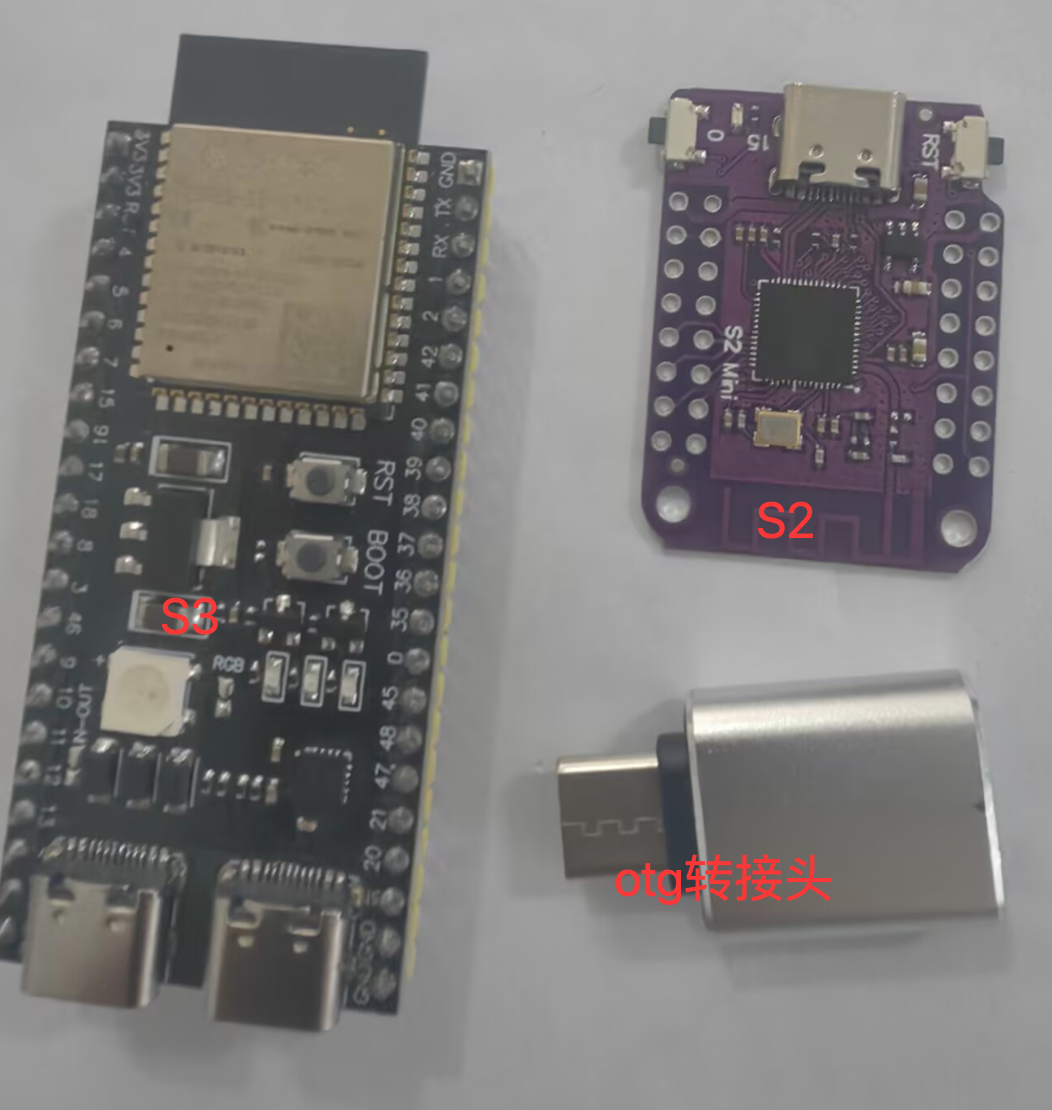
Hardware photo
- Example shows a basic adapter; for charge + OTG use a 3-in-1 adapter
-
Download firmware
- Cloud drive: Downloads
- Path: Developer tools → Android resources → OTG HID firmware → ESP32-S3 or ESP32-S2 — download the
.binfor your board - Keyboard and non-keyboard builds — some apps detect keyboard HID; the non-keyboard build cannot use Home and similar input APIs
- Download flash_download_tool.zip for ESP32 to flash firmware
Flash firmware
- Same steps as Bluetooth: Flash Bluetooth firmware
- OTG firmware does not need the Bluetooth MAC — skip that step and flash only
- S2: hold IO, press RST, release both so the PC detects the board
- ESP32-S2: hold BOOT, tap RST
- ESP32-S3: after flashing, plug into the phone's USB OTG port, not the COM port
Authorize and test
- First plug-in may show an authorization dialog
-

- Check Always use (wording may vary) and confirm
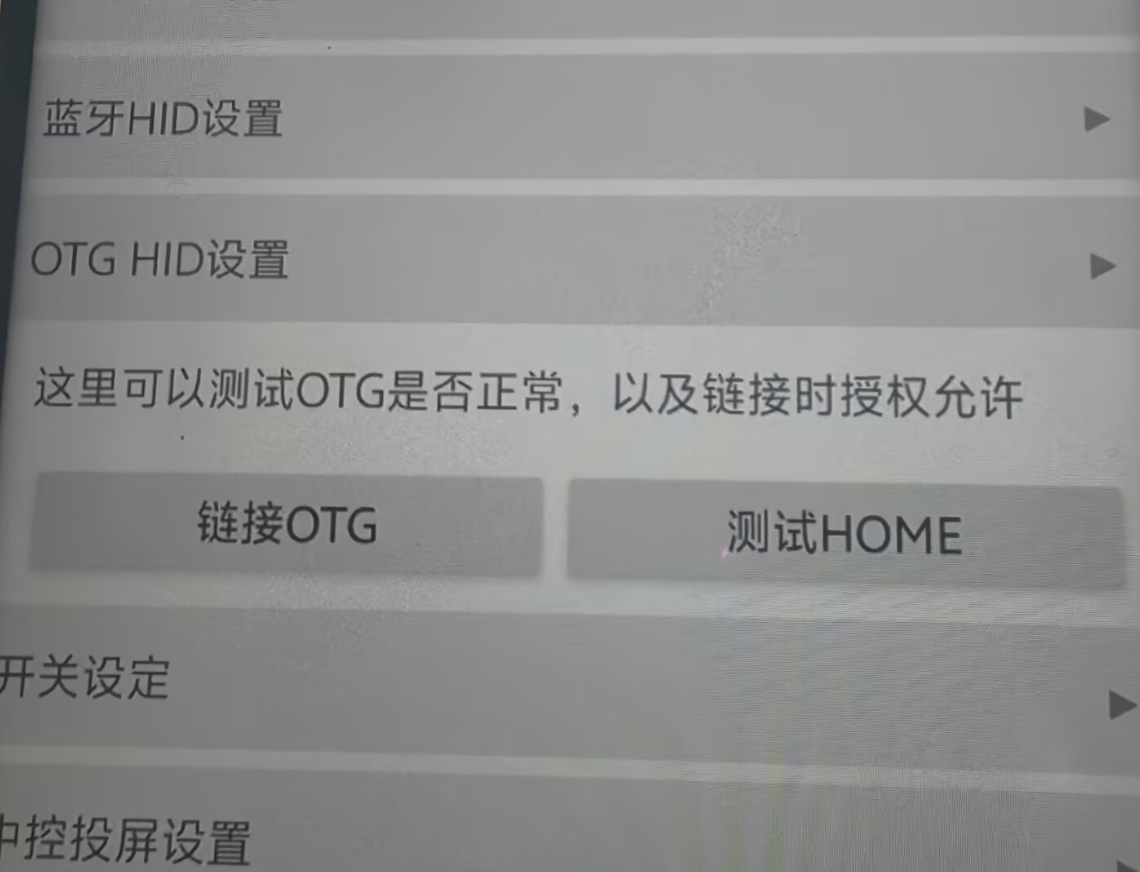
- System settings → OTG HID settings → Connect OTG — allow any permission prompt
- Click Test HOME — if you return to the home screen, it works; next step is scripting
-
Use in scripts
- After the steps above and a successful test, write scripts and call API functions